What Is a Controller Deadzone? How to Test and Set It
A controller deadzone is a small zone around the stick's resting position where movement registers as zero input. It exists so the idle noise every analog stick produces does not reach the game. Set it just above your stick's measured resting value: too large feels sluggish, too small lets drift through.
What a deadzone is, why it exists, how to test yours in the browser, and the right inner deadzone for PS5, Xbox, and PC.
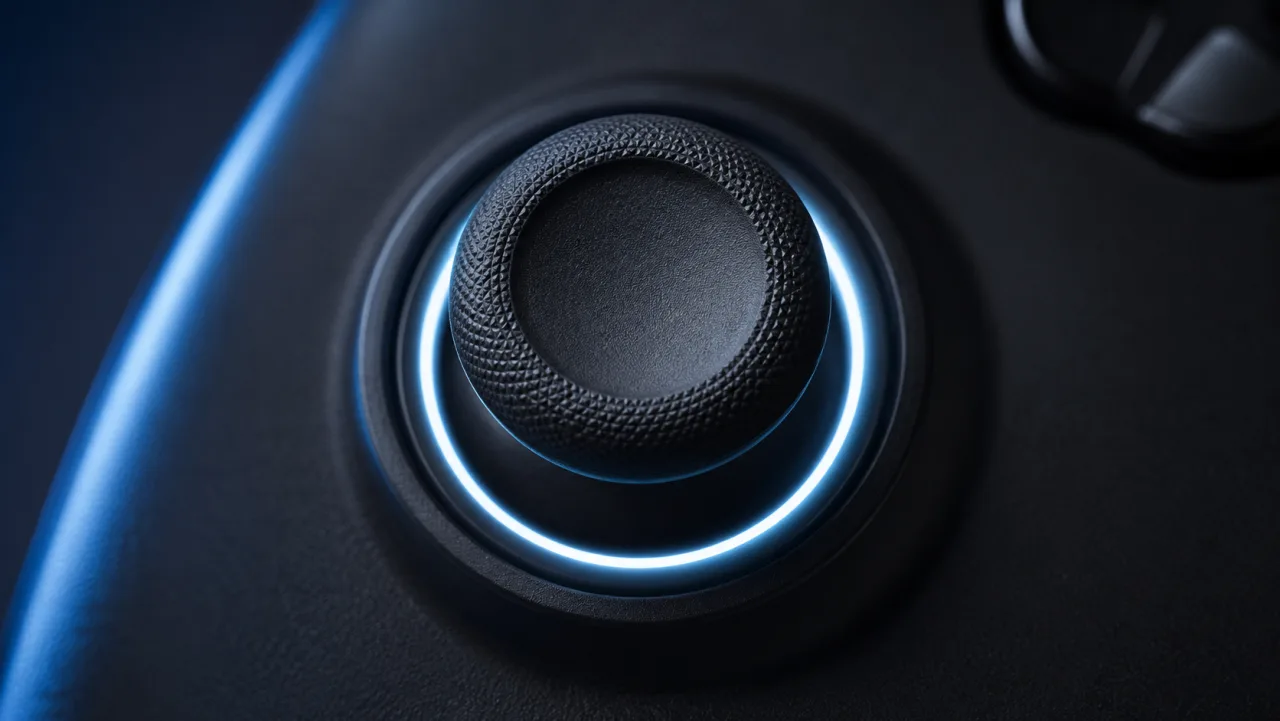
Get that one setting right and the stick feels precise; get it wrong and you either lose fine aim or let a worn stick leak into every game.
The quickest check takes 30 seconds: rest the stick in the deadzone tester and read the number it settles on. That resting figure is the floor your deadzone has to clear. Everything below explains what the number means and how to set it on each platform.
Key takeaways
- A deadzone is a buffer around stick center where movement is ignored, so idle noise does not register as input.
- Most games default to an inner deadzone of 10 to 20, which is tuned for worn sticks and feels sluggish on a fresh one.
- Set the inner deadzone just above your stick’s measured resting value, not a number copied from another player.
- A deadzone set too low and real stick drift look identical in-game, so test the hardware before buying a replacement.
- Hall-effect and TMR sticks idle below 0.01, so they tolerate a far smaller deadzone than a potentiometer stick.
◆ VERIFIED
The W3C Gamepad API normalises every analog stick axis to a value between -1.0 and +1.0, and a browser reads that raw value before any game applies its own deadzone on top. That is why a resting stick almost never reads an exact 0.00: you are seeing the true hardware figure. A deadzone is simply the radius around 0.00 that a controller or game chooses to treat as still.
Source: W3C Gamepad API specification
What is a controller deadzone?
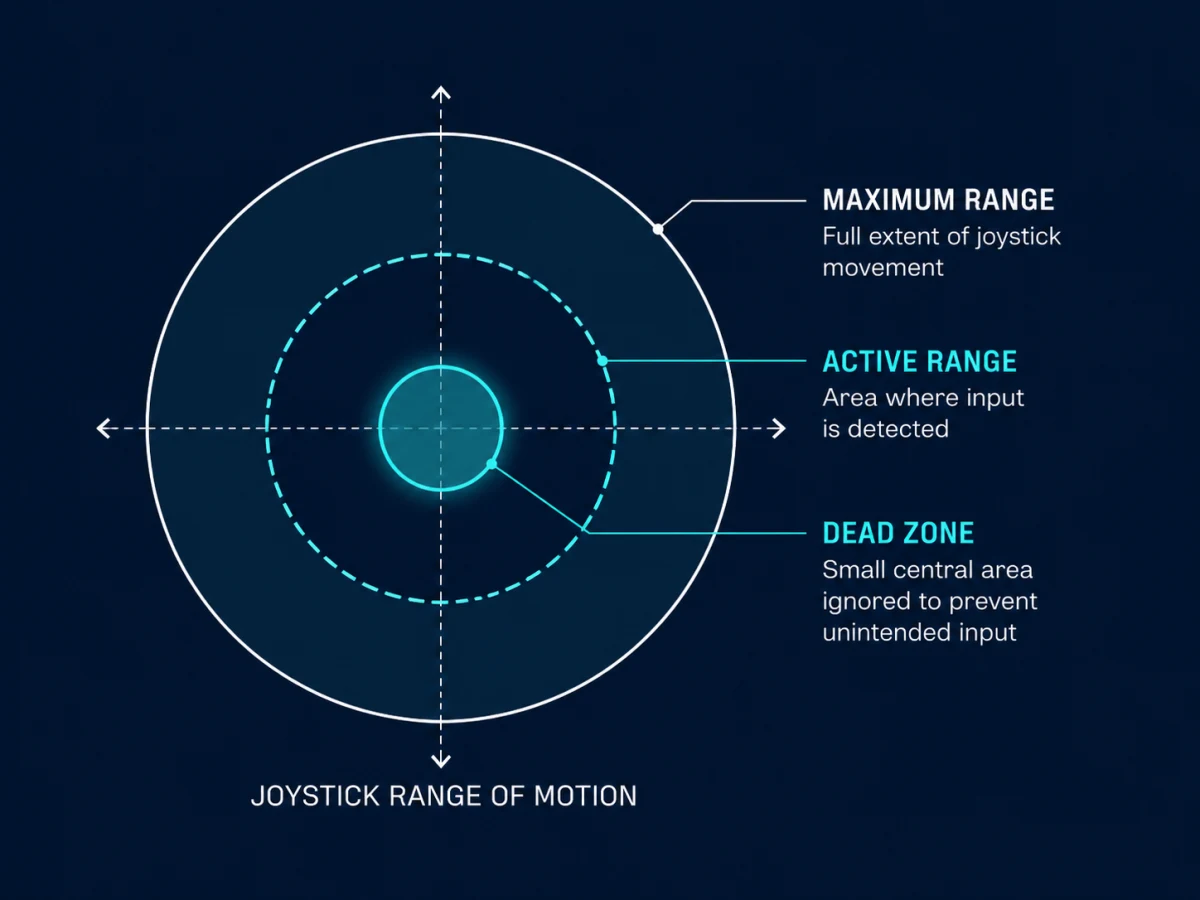
A controller deadzone is the area around an analog stick’s resting position where movement registers as zero input. Inside that zone, the game ignores all stick displacement; outside it, movement becomes real input. The value is usually shown as a number on a 0 to 100 scale in a game’s settings, or as a fraction of the -1.0 to +1.0 range the controller actually reports [1].
There are two deadzones on every stick. The inner deadzone sits around the center so a resting stick reads as still. The outer deadzone sits near the physical edge so the stick reaches full input before it stops moving. When people say “deadzone” without qualifying it, they almost always mean the inner one.
Hardware deadzones are baked into a controller’s firmware and are fixed on most standard pads. Software deadzones are the ones you actually control, through in-game settings, the Xbox Accessories app, or a PC driver tool.
Why does a controller deadzone exist?
A controller deadzone exists to absorb the idle electrical noise every analog stick produces at rest. Potentiometer sticks drift as their resistive track wears, and without a deadzone that off-center resting signal registers as constant low-level movement. Even a new Hall-effect stick has a small noise floor that a deadzone swallows before it reaches the game [2].
Across stick readings observed through JoyCheck, potentiometer sticks typically idle between 0.01 and 0.04 on the normalized scale. Hall-effect and TMR sticks generally sit below 0.01. Those ranges are exactly where a useful inner deadzone threshold lives.
The cost of a deadzone is a slice of input delay at the start of movement. Until the stick crosses the deadzone boundary, the game sees nothing. That trade is why competitive players lower the deadzone as far as their stick’s noise floor allows, instead of leaving it at the default.
What does a deadzone that is too large feel like?
When the inner deadzone is too large, the stick has to travel a visible distance from center before the game registers anything. Players describe aim that “catches,” a crosshair that refuses to move until they push past an invisible wall, or slow camera response that no sensitivity change fixes.
The usual symptoms:
- Small camera corrections in a shooter need a push instead of a nudge.
- Smooth stick-to-stick movement breaks into a step rather than a glide.
- The controller feels unresponsive at the start of every movement, even though button inputs are instant.
The most common cause is a default game setting left at 15 to 20. That value was tuned for an average, partly worn stick. On a newer controller, cut it in half and re-test in the controller tester to confirm the resting reading still sits still.
What does a deadzone that is too small feel like?
When the inner deadzone is set below the stick’s noise floor, idle sensor output leaks through as real input. The camera drifts slowly when you are not touching the stick, a character walks in one direction on its own, or a menu cursor slides without input. Most players call this stick drift.
The distinction matters because the fix is different. A deadzone problem costs nothing and takes a minute to correct. Hardware drift needs cleaning, a stick module replacement, or a new controller.
Before assuming the worst, test the controller. If the stick reads near zero and stays stable when released, the cause is a setting, not a broken part. The full diagnosis flow lives in the stick drift explainer.
How do you test your controller deadzone?
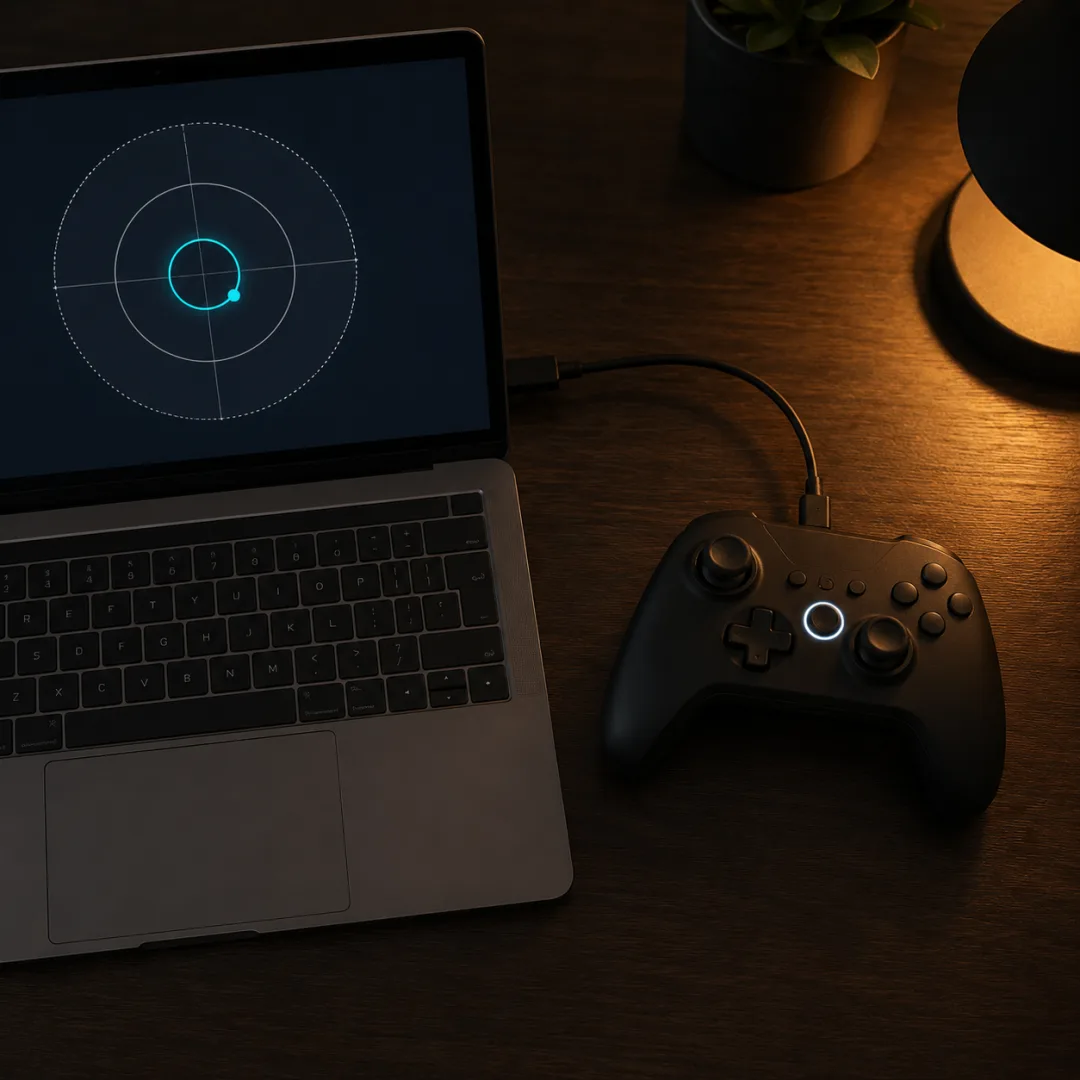
Open the deadzone tester in any modern browser and connect your controller by USB or Bluetooth. Nothing installs and nothing is uploaded; the page reads the stick value directly through the W3C Gamepad API.
- Press any button so the browser registers the controller.
- Let go of both sticks and leave the pad flat on a desk.
- Watch the left and right stick readings for about 10 seconds.
- Note the largest value shown while the sticks are untouched.
That maximum idle value is your stick’s noise floor. Any inner deadzone set below it will let noise through as input; any deadzone set above it absorbs the noise but adds the catching feel at the start of movement. A resting value below 0.02 is clean. A value above 0.05 points to real wear, and at that point a deadzone only masks the problem while the hardware keeps degrading.
What is the best deadzone setting for PS5?
The PS5 has no system-level deadzone slider. On a standard DualSense, the deadzone is set per title inside each game’s controller options. DualSense Edge owners get a hardware stick and deadzone profile in the PS5 accessories menu, which the base pad does not have [3].
Commonly used inner deadzone starting points for competitive play:
| Game | Inner deadzone | Default |
|---|---|---|
| Call of Duty: Warzone | 0 to 5 | around 10 |
| Apex Legends | 0 to 3 | varies by patch |
| Fortnite | 0 to 10 | 13 |
| EA Sports FC | 5 to 10 | around 20 |
These values come from competitive player communities and content creators, not official documentation, so treat them as starting points. Test your own stick in the deadzone tester and set the inner deadzone just above your personal resting reading. If that reading is above 0.05, no setting will fix it; that is a PS5 stick drift issue, not a settings issue.
What is the best deadzone setting for Xbox?
Xbox controllers support independent inner and outer deadzone adjustment through the Xbox Accessories app on both Windows and the console. The inner deadzone controls the center threshold; the outer deadzone controls the point at which full stick deflection registers.
Sensible first-person starting points:
- Inner deadzone: 0 to 8, where lower means a faster response away from center.
- Outer deadzone: 0 to 5, where lower means full input is reached before the physical maximum.
The Xbox Elite Series 2 saves these profiles on the controller itself, so they travel between consoles and PC without reconfiguring. A standard Xbox Wireless Controller stores its profile per device in the Accessories app. Drop the inner deadzone to 0, run the tester, and raise it only until the idle noise disappears. That gives the tightest setting that still keeps drift out, the same idea covered in the Xbox calibration guide.
How do you adjust controller deadzone on PC?
Three tools cover most setups, ordered by how much control they give you.
Steam controller configuration is free and works for most controllers Steam recognises. Open the controller settings, pick the stick, set the source to joystick, and drag the inner deadzone slider while the live output shows in the overlay [4].
DS4Windows is free and aimed at PlayStation controllers on PC. Its profile tab has a per-stick deadzone slider; keep a browser deadzone tester open alongside it to watch the resting value move.
reWASD is paid and supports per-axis deadzone shapes, radial, axial, and square, with a live preview and profile switching. It is worth it if you swap between several controllers with different noise floors.
Nintendo Switch Pro Controllers connected to a PC have limited deadzone support through third-party tools only, and the Switch system itself has no native deadzone setting for Joy-Con or the Pro Controller.
Is stick drift the same as a deadzone problem?
No, but they look identical in-game, and the difference is where the fault lives. Stick drift is a hardware fault: the stick’s resting position is physically off-center, so it reports movement while untouched, and that offset grows as the sensor wears. A deadzone set too low is a settings fault: a correctly resting stick’s normal noise floor leaks through a threshold set below it.
A deadzone can mask light drift for a while by swallowing the false reading, but it does not repair anything, and eventually the drift exceeds any practical deadzone. That is the moment a settings tweak stops working and the hardware needs attention.
Test the controller to tell them apart. If the idle value is clean, below 0.02, and you still see in-game drift, the deadzone is simply too low. If the idle value is above 0.05, read the multi-platform drift fix guide for the repair ladder. Controllers with Hall-effect or TMR sticks, like those in the Hall-effect controller guide, idle below 0.01, so you can safely lower the deadzone further than a potentiometer stick allows without drift breaking through.
Sources and references
- W3C Gamepad API specification: how stick axes are normalised between -1 and 1 and read at rest.
- Analog stick (reference): potentiometer stick construction and the resting noise that a deadzone absorbs.
- PlayStation: DualSense Edge wireless controller: hardware stick and deadzone profiles on the Edge.
- Steam controller and Steam Input: per-controller deadzone configuration on PC.
- Xbox Accessories app: inner and outer deadzone settings for Xbox controllers.
What is the best deadzone setting for FPS games?
Set the inner deadzone just above your stick's resting value. Test the controller at rest first: if it idles within about 0.02 of center on the -1.0 to +1.0 scale, an inner deadzone of 2 to 5 on a 0 to 100 game scale is clean and responsive. If the idle reading is higher, match the deadzone to that measured value rather than a number copied from another player's pad.
Does the PS5 have a deadzone setting?
Not at the system level. On a standard DualSense the deadzone is set per game inside each title's controller options. The DualSense Edge adds a hardware stick sensitivity and deadzone profile in the PS5 accessories menu, which a base DualSense does not have. For PC play you can also set a deadzone in Steam Input regardless of the game.
How do I change the deadzone on an Xbox controller?
Use the Xbox Accessories app on Windows or on the console. It lets you set the inner and outer deadzone for each stick independently and, on an Elite Series 2, save that profile to the controller so it travels between devices. Lower the inner deadzone toward zero, then raise it just until a resting stick stops registering.
Why does my controller still drift when the deadzone is high?
A high deadzone only hides drift that sits below its threshold. If a worn stick reports a resting value larger than the deadzone, the game still sees it and the drift breaks through. A deadzone is a mask, not a repair, and the offset keeps growing as the stick wears. At that point the fix is a stick module replacement or a new controller, not a settings change.
Should I set my deadzone to 0?
Only if testing confirms your stick rests at or below about 0.01 on the -1.0 to +1.0 scale. Deadzone 0 turns off the buffer entirely, so every fraction of stick movement, including idle sensor noise, becomes input. On a fresh Hall-effect or TMR stick that can feel razor sharp. On a worn potentiometer stick it makes drift instantly visible, so measure before you zero it.
How do I make my controller feel more responsive?
Lower the inner deadzone toward your measured resting value and lower the outer deadzone so full input registers before the stick physically stops. A deadzone left at a game's default of 10 to 20 is the most common cause of an unresponsive feel, because that default assumes an average worn stick. Test, then set the smallest deadzone that keeps a resting stick still.
How do I lower the deadzone on PC?
Steam controller configuration covers most controllers for free: open the controller settings, select the stick, and drag the inner deadzone slider while watching the live readout. DS4Windows does the same for PlayStation controllers, and reWASD adds per-axis deadzone shapes for paid users. Run a browser deadzone tester alongside whichever tool you use so you can see the resting value change in real time.
Read your stick's deadzone in 30 seconds
No install, no account. Your inputs never leave your device.